


 English
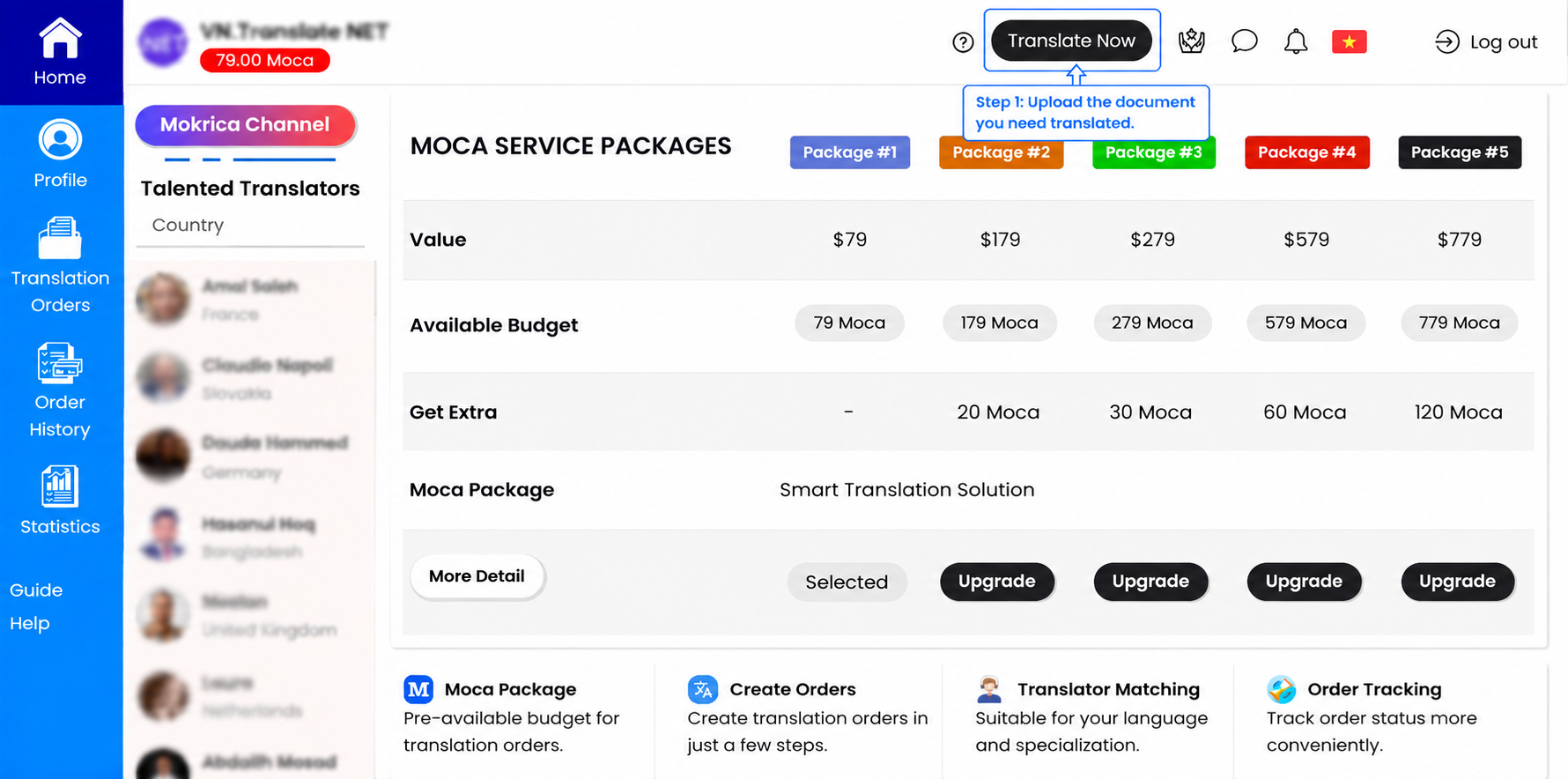
The Moca Package helps you take greater control of project creation, translation workflows, and ongoing document processing whenever needed.
You can manage the entire process directly on Mokrica through the following steps:
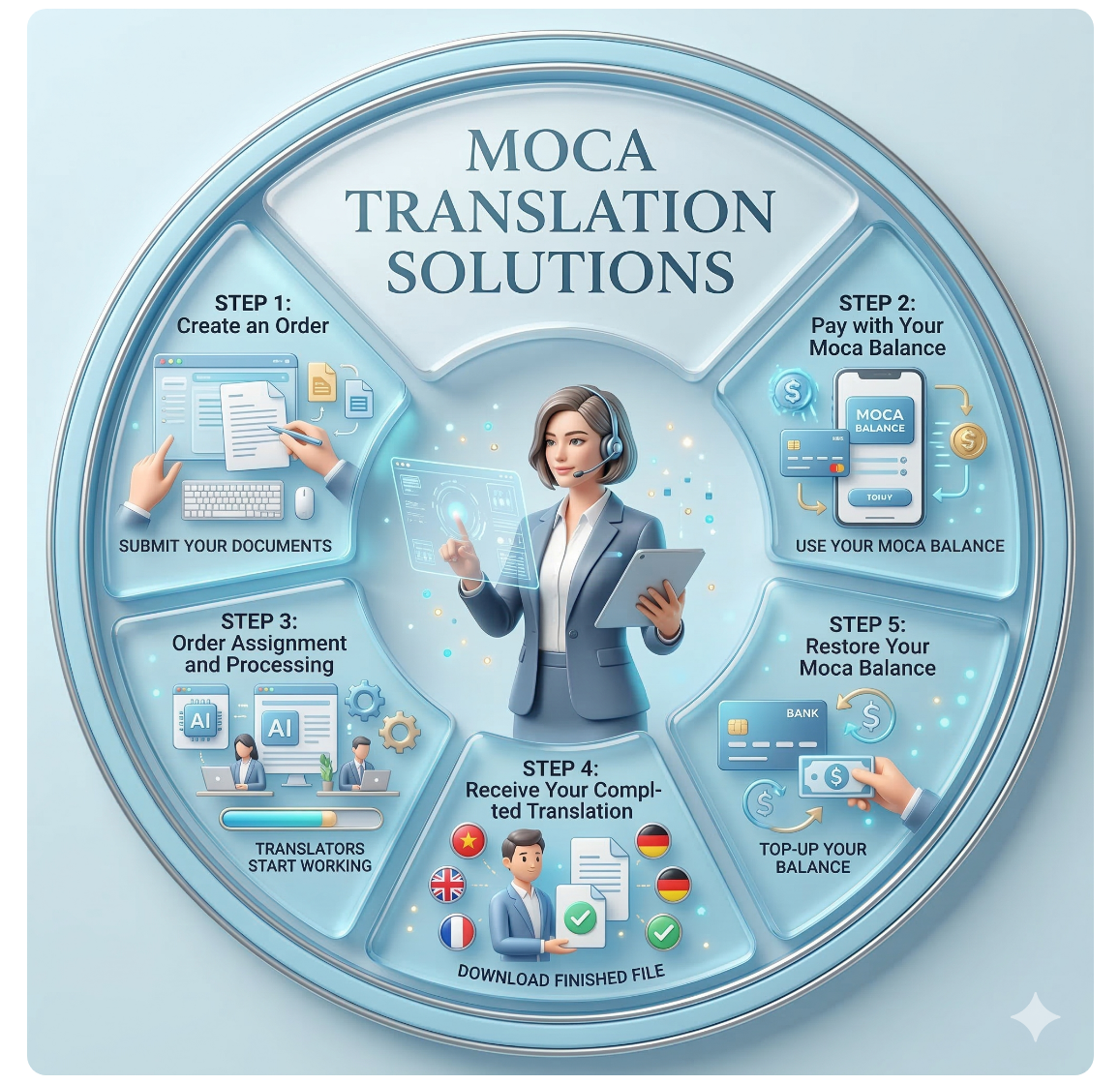
📄 Create a Translation Project
To get started, simply upload your document and set up your translation project information.
Project creation steps
1. Upload the document that needs translation
2. Select the source language
3. Select the target language
4. Choose the document subject or industry field
5. Enter the number of notarized copies (if required)
👉 Once completed, you can review all project details before continuing.
💳 Pay Using Your Moca Balance
After confirming your project details, you can use your available Moca balance to pay directly for the translation project.
👉 The corresponding Moca amount for the project value will be automatically deducted from your available account limit.
If your current limit is not sufficient, you can still:
• Restore your Moca Package limit
• Upgrade to a higher Moca Package
• Or make an online payment for the remaining amount
🔄 Project Matching & Processing
After successful payment, your project will be matched with suitable translators based on:
• Language pair
• Specialization
• Document content
• Compatibility with project requirements
The assigned translator will process and complete the translation according to the “Estimated Completion Time” displayed on the project.
👉 You can track project progress directly within your account.
✅ Receive the Completed Translation
Once the translation is completed, you will receive a notification via email.
You can then:
• Log in to your Mokrica account
• Go to “Translation Orders” → “Completed”
• Download the completed translation file
You will have 72 hours (3 days) to review the translation and request revisions if needed.
After this period, the project will be automatically approved and the translator will receive compensation for the completed work.
🔄 Restore Your Moca Package Limit
To continue maintaining your original usage limit, you simply need to pay for the Moca amount previously used for completed projects.
👉 Once payment is completed, your Moca Package limit will automatically be restored in your account.
📋 Example
• Original Package: 79 Moca ($79)
• Amount Used: 30 Moca
👉 You only need to pay $30 to restore your original limit.
Once completed, your balance will return to 79 Moca, allowing you to continue creating new projects whenever needed.
🚀 Maintain More Flexible Translation Operations with the Moca Package
The Moca Package helps you stay more flexible when creating projects, managing translation workflows, and maintaining continuous processing capacity whenever new requests arise.
👉 Create projects faster
👉 Use your available limit more proactively
👉 Track and manage projects more conveniently
👉 Continue handling new requests without interrupting ongoing workflows
Related tags
🏷️ Moca Translation Package
🏷️ Translation for Businesses
🏷️ Outstanding Benefits of the Moca Package
🏷️ How the Moca Package Works
🏷️How to Restore Your Moca Package Budget
🏷️How to upgrade Moca Package
![[For Members] Update Invoice Information](thumbs/245x135x1/upload/news/update-invoice-information-7674.png)
![[For Members] Use Initial Budget to Create a Translation Order](thumbs/245x135x1/upload/news/use-initial-budget-to-create-a-translation-order-9966.png)
![[For Members] Create Order & Edit Invoice Using Available Budget](thumbs/245x135x1/upload/news/create-order-edit-invoice-using-available-budget-6260.png)
![[For Members] Suggested Orders in the "My Orders" Tab](thumbs/245x135x1/upload/news/suggested-orders-in-the-my-orders-tab-5303.png)
![[For Members] Track Your Earnings & Rewards](thumbs/245x135x1/upload/news/track-your-earnings-rewards-1247.png)
![[For Members] Restore the Moca Package budget](thumbs/245x135x1/upload/news/restore-your-moca-package-budget-when-creating-a-translation-order-8809.png)
![[For Members] Upgrade Your Moca Package to Create a Translation Order](thumbs/245x135x1/upload/news/upgrade-your-moca-package-to-create-a-translation-order-9398.png)


