


 English
There are several ways to reset your password:
1. If you forgot your password, go to the Mokrica homepage and click "Sign In" on the top right of the screen.
When you get to the "Sign In" page, click "Forgot Password?", enter your email address and a temporary password will be emailed to you. You can use this temporary password to reset your password.
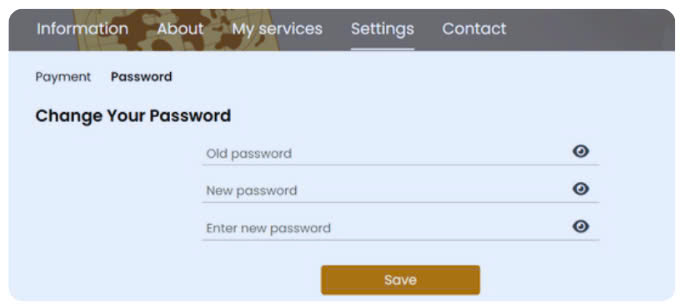
2. If you know your password, go to the Profile page, "Settings" Tab [Enter the old password, Enter a new password, Re-enter your new password], then click the "Save" button ". And you are ready!

![[For Members] Update Invoice Information](thumbs/80x80x1/upload/news/update-invoice-information-7674.png)
![[For Members] Use Initial Budget to Create a Translation Order](thumbs/80x80x1/upload/news/use-initial-budget-to-create-a-translation-order-9966.png)
![[For Members] Create Order & Edit Invoice Using Available Budget](thumbs/80x80x1/upload/news/create-order-edit-invoice-using-available-budget-6260.png)
![[For Members] Suggested Orders in the "My Orders" Tab](thumbs/80x80x1/upload/news/suggested-orders-in-the-my-orders-tab-5303.png)
![[For Members] Track Your Earnings & Rewards](thumbs/80x80x1/upload/news/track-your-earnings-rewards-1247.png)
![[For Members] Restore the Moca Package budget](thumbs/80x80x1/upload/news/restore-your-moca-package-budget-when-creating-a-translation-order-8809.png)
![[For Members] Upgrade Your Moca Package to Create a Translation Order](thumbs/80x80x1/upload/news/upgrade-your-moca-package-to-create-a-translation-order-9398.png)


